
Managing stock in one WooCommerce location is simple. Managing it across multiple warehouses, branches, or pickup points is not. WooCommerce does not natively handle location-based stock control, smart order routing, or multi-location fulfillment very well, which is why many stores turn to a WooCommerce multi-location inventory management plugin.
This guide compares the top 10 WooCommerce multi-location inventory management plugins based on stock separation, routing, reporting, scalability, and ease of use so that you can find the best fit for your inventory workflow.
Quick Picks at a Glance
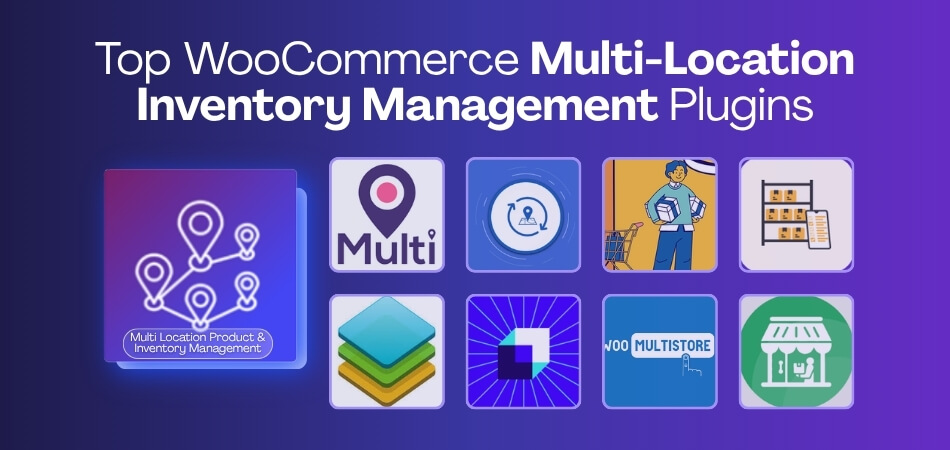
Here is a quick comparison of the top WooCommerce multi-location inventory plugins based on different store needs, from small starter setups to more advanced warehouse operations.
| Store Need | Recommended Plugin |
| Overall multi-location inventory control | Multi-Location Product and Inventory Management for WooCommerce |
| Free option for small stores | Multiloca Lite – Multi Location Inventory Management for WooCommerce |
| Inventory analytics and backend visibility | ATUM Inventory Management for WooCommerce |
| Manual warehouse-based stock control | Addify WooCommerce Multi Inventory Management |
| Basic stock-location visibility | Stock Locations for WooCommerce |
| Barcode and stock allocation support | MultiWare Engine Lite – Multi Location Inventory Management for WooCommerce |
| Multisite stock synchronization | WooMultistore – WooCommerce Multisite Stock Sync |
| Multi-inventory support with supplier workflows | Smart Inventory Management for WooCommerce |
| Pickup-focused store workflows | Local Pickup for WooCommerce |
| Store-level control across multiple locations | Multi Store Manager for WooCommerce |
Why WooCommerce Stores Need a Multi-Location Inventory Plugin?
As a store grows, managing inventory across multiple warehouses, branches, or pickup points becomes much harder in WooCommerce. That is because the default stock system is built for single-location control, not for location-based inventory workflows. Here is why WooCommerce stores need a multi-location inventory plugin.
- Separate Stock By Location: WooCommerce does not natively support dedicated stock quantities for each warehouse, branch, or fulfillment point.
- Smarter Order Routing: It cannot automatically assign orders to the right location based on stock availability or fulfillment rules.
- Fallback Fulfillment Logic: There is no built-in way to shift fulfillment to another location when one source runs out of stock.
- Location-Based Reporting: Store owners do not get clear stock and sales visibility for each location without additional tools.
- Better Fulfillment Control: Multi-location operations often need transfers, location rules, and clearer workflows than WooCommerce provides by default.
- Lower Overselling Risk: Managing all stock through one shared system makes inventory mismatches more likely as operational complexity increases.
Top 10 WooCommerce Multi-Location Inventory Management Plugins
Choosing the right plugin becomes more important as your store adds warehouses, branches, pickup points, or multiple fulfillment sources. Some tools focus on simple stock visibility, while others offer stronger control over routing, reporting, transfers, and day-to-day inventory operations. To help you compare them more easily, here are 10 WooCommerce multi-location inventory management plugins and solutions worth considering.
1) Multi-Location Product and Inventory Management for WooCommerce
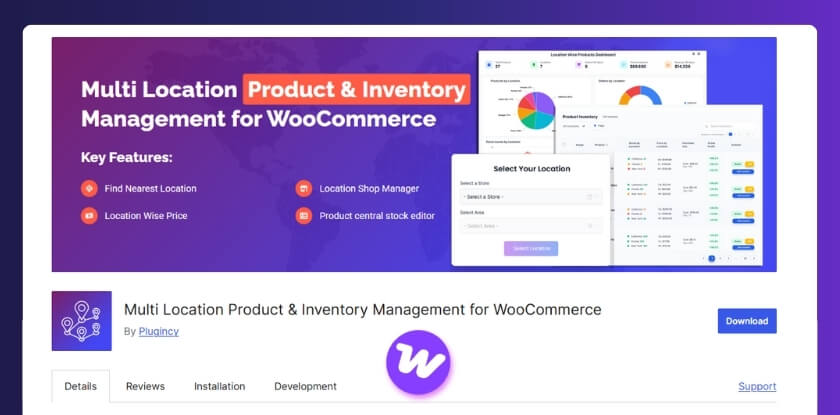
Multi Locations Inventory Management for WooCommerce is built for stores that need to manage stock, products, pricing, and orders across multiple locations from one setup. This WooCommerce multi locations inventory management plugin focuses on centralized multi-location inventory control, location-based availability, customer location selection, and order management for warehouses, retail stores, and regional centers.
Key Features
- Centralized multi-location inventory management
- Per-location stock quantities
- Stock transfers, backorders, and stock alerts
- Location-based product visibility and display
- Customer location selection
- Cart-level location switching
- Location-based pricing, tax, and payment method controls
- Centralized dashboard for stock, sales, and trends
- Location manager and role management support
Pros & Cons
Pros
- Broad multi-location feature set
- Combines stock control with storefront location logic
- Supports location-based pricing and visibility
- Includes transfer and reporting features
- Designed for centralized management across multiple locations
Cons
- Some useful features are not available in free versions
- May feel feature-heavy for very small stores
Who It’s Best For
Stores managing multiple warehouses, retail branches, pickup points, or regional fulfillment locations from a single WooCommerce installation.
2) Multiloca Lite – Multi Location Inventory Management for WooCommerce
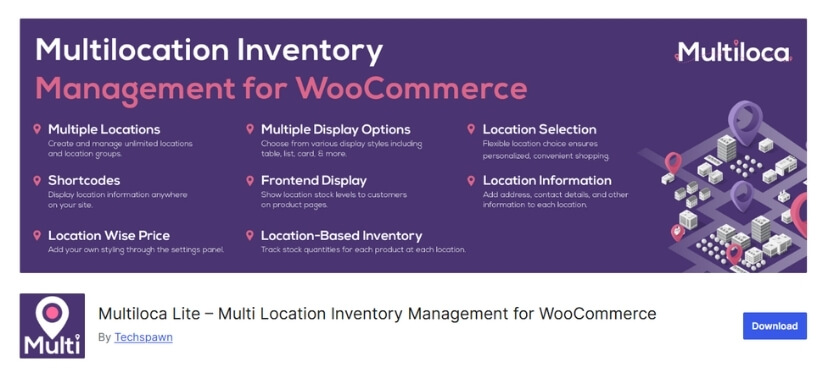
Multiloca Lite is a practical option for WooCommerce stores that want to start managing stock across multiple stores, warehouses, or pickup points without jumping into a more advanced setup. Its official plugin page focuses on per-location inventory tracking, real-time stock visibility, customer location selection, and frontend stock display.
Key Features
- Unlimited store, warehouse, and pickup locations
- Separate stock quantities by location
- Real-time stock status by location
- Location-based stock display on product pages
- Multiple frontend display layouts
- Customer location selection
- Product assignment to one or multiple locations
- Basic location-aware order handling
- Centralized stock control from one dashboard
- Business details and hours for each location
Pros & Cons
Pros
- Easy starting point for simple multi-location setups
- Useful frontend stock visibility for customers
- Supports unlimited locations
- Clean fit for stores that mainly need location-based availability
- Lower setup barrier than more feature-heavy tools
Cons
- Some useful features are reserved for the Pro version
- Better suited to simpler workflows than advanced fulfillment operations
- Reporting and automation appear lighter than more full-scale systems
- Theme fit may still need testing in real store setups
Who It’s Best For
Small WooCommerce stores, local retail setups, and businesses testing multi-location inventory for the first time. It fits best when the main need is to separate stock by location plus customer-facing availability, not deep routing or warehouse automation.
3) ATUM Inventory Management for WooCommerce
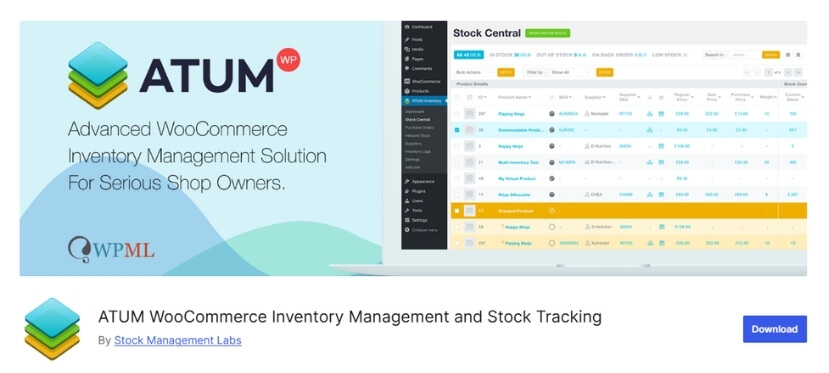
ATUM is best known as a WooCommerce inventory management platform focused on backend stock control, catalog visibility, and operational reporting. Its official plugin page highlights tools like Stock Central, inventory editing, suppliers, purchase orders, and stock analytics, while true multi-inventory capability is offered through its premium Multi-Inventory add-on rather than the free core plugin.
Key Features
- Stock Central for bulk inventory control
- Dashboard statistics and inventory visibility
- Product-level editing for SKUs, prices, weight, and stock data
- Supplier and purchase order workflows
- Inventory valuation and reporting tools
- Multi-inventory support through a premium add-on
- Multiple inventories per product with separate stock records
- Inventory selling priorities such as FIFO, LIFO, and expiry-based selling
- Add-on ecosystem for extended warehouse and fulfillment workflows
Pros & Cons
Pros
- Strong backend inventory control for WooCommerce
- Useful reporting and stock visibility tools
- Good fit for stores with large catalogs
- Flexible add-on ecosystem for more advanced needs
- Multi-inventory add-on adds deeper stock structure when needed
Cons
- True multi-location inventory is not included in the free plugin
- Some advanced workflows depend on paid add-ons
- Better suited to backend inventory control than customer-facing location selection
- Can become more expensive as more add-ons are needed
Who It’s Best For
ATUM is a better fit for stores that care most about inventory oversight, purchasing workflows, and backend stock operations. It makes the most sense for merchants who want stronger reporting and catalog control, and are comfortable adding premium extensions if they need true multi-inventory functionality.
4) Addify WooCommerce Multi Inventory Management
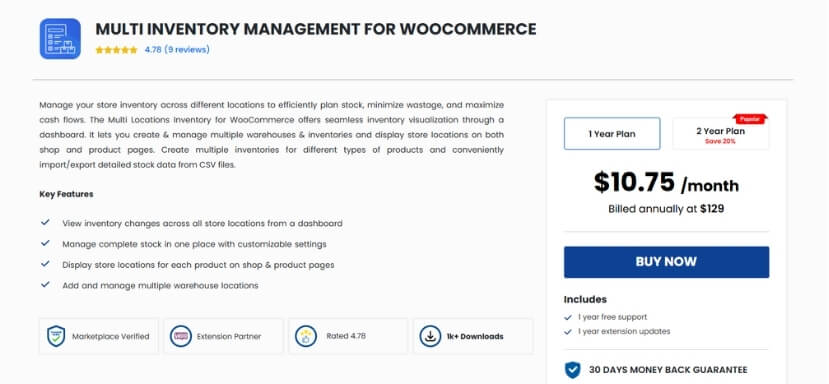
Addify’s Multi Inventory Management plugin is built for stores that want to create multiple inventories per product based on location, warehouse, store, supplier, or inventory type. Its official product page highlights inventory-level pricing, customer location selection, CSV import/export, and a stock dashboard for centralized visibility.
Key Features
- Multiple inventories per product
- Inventory setup by location, warehouse, store, supplier, or type
- Inventory-level pricing and SKU control
- Customer inventory or location selection
- CSV import and export for stock updates
- Central stock listing page
- Dashboard for stock status and history
- Shipping and payment method configuration by inventory
- Admin mode for manual inventory allocation
Pros & Cons
Pros
- Strong structure for warehouse-style stock control
- Supports inventory-specific pricing
- Useful bulk management through CSV workflows
- Gives admins direct control over stock allocation
- Fits stores that want more manual inventory handling
Cons
- More manual than plugins built around broader automation
- Setup can take longer when inventory rules are complex
Who It’s Best For
Mid-sized WooCommerce stores that want structured multi-inventory control and do not mind a more hands-on setup for pricing, allocation, and warehouse management.
5) Stock Locations for WooCommerce
Stock Locations for WooCommerce is a lightweight plugin focused on managing stock across multiple physical stores or storage locations. Its official plugin page emphasizes multiple stock locations, frontend location display, shortcodes, and product-level location assignment rather than a full routing or reporting system.

Key Features
- Multiple stock locations
- Product-level location assignment
- Frontend display of stock locations
- Shortcodes for showing locations on product pages
- Basic stock management across physical stores or warehouses
- Simple admin-side setup
Pros & Cons
Pros
- Simple and lightweight
- Easy to install for basic location tracking
- Useful for showing location information on product pages
- Good for straightforward stock-by-location setups
- Lower learning curve for small stores
Cons
- Limited depth compared with more advanced multi-location tools
- Not ideal for complex fulfillment workflows
Who It’s Best For
Small stores, pickup-focused setups, and merchants who mainly want to track and display stock by location without building a more advanced warehouse workflow.
6) MultiWare Engine Lite – Multi Location Inventory Management for WooCommerce
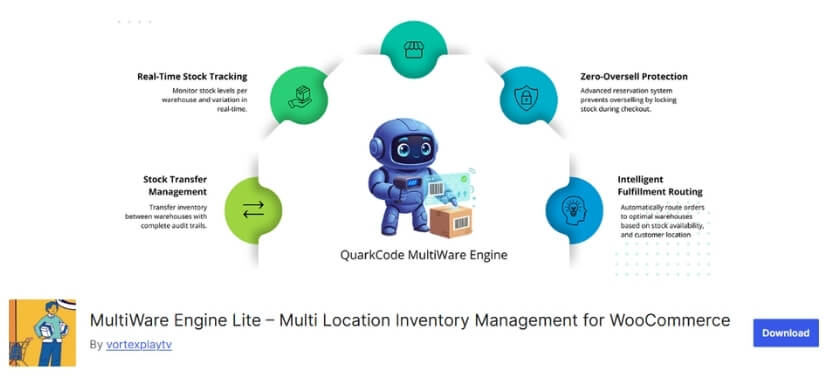
MultiWare Engine Lite is positioned as a multi-location inventory management solution for WooCommerce stores that want to move beyond single-location stock handling. Its WordPress.org listing highlights multi-warehouse inventory management, stock allocation, real-time synchronization, barcode scanning, batch tracking, and analytics.
Key Features
- Multi-location inventory management
- Stock allocation tools
- Real-time stock synchronization
- Barcode scanning
- Batch tracking
- Inventory analytics
Pros & Cons
Pros
- Built specifically for multi-warehouse inventory
- Includes real-time sync features
- Supports stock allocation workflows
- Adds barcode and batch-related functionality
- More purpose-built than lightweight stock-display plugins
Cons
- Very limited public track record so far, with low install visibility on the plugin listing
- Feature depth looks promising, but real-world adoption appears much smaller than more established alternatives
Who It’s Best For
Stores that want a newer plugin focused on multi-warehouse inventory control, especially if barcode scanning and stock allocation matter more than a long-established user base
7) WooMultistore – WooCommerce Multisite Stock Sync
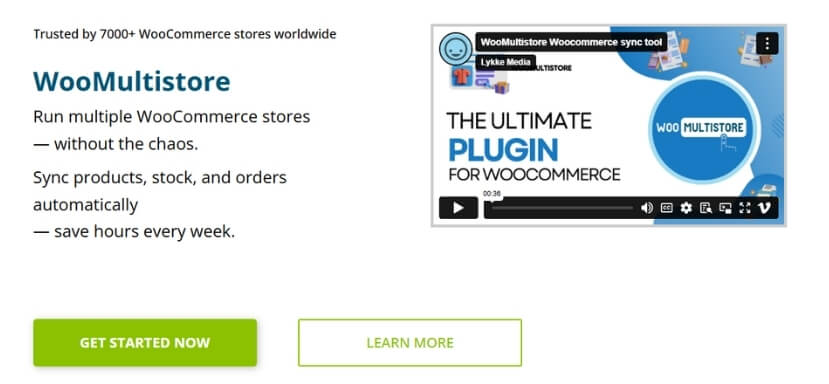
WooMultistore is designed for syncing products, stock, and orders across multiple WooCommerce stores rather than managing warehouse-level locations inside one store. Its official site emphasizes product publishing, stock synchronization, order centralization, and multisite or multi-store management across domains, subdomains, or separate stores.
Key Features
- Stock sync across multiple WooCommerce stores
- Product and category synchronization
- Centralized order visibility
- Order export tools
- Option to import orders into one single store
- Multisite and standalone multi-store support
- Shared or customized inventory per site
- Global image support
Pros & Cons
Pros
- Strong fit for multi-store and multisite setups
- Useful stock synchronization across storefronts
- Helps centralize product and order management
- Works well for brands running multiple WooCommerce sites
- Better suited to store networks than warehouse plugins are
Cons
- Not built for warehouse-level routing inside a single store
- More suitable for cross-store sync than location-based stock control
Who It’s Best For
Brands running multiple WooCommerce storefronts that need stock and product synchronization across sites.
8) Smart Inventory Management for WooCommerce
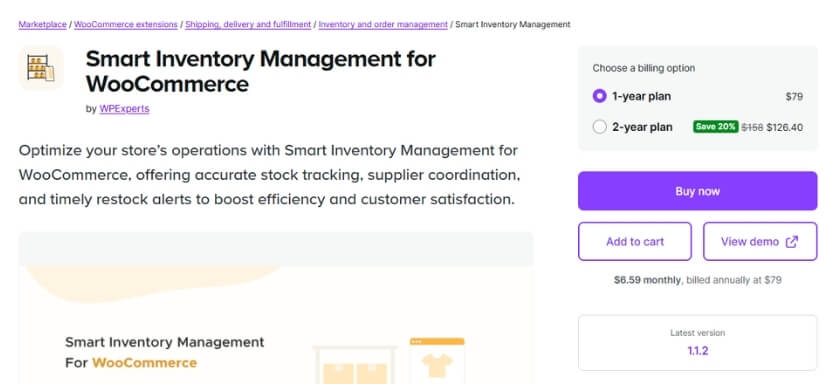
Smart Inventory Management for WooCommerce is aimed at stores that need multiple stock inventories based on location and inventory type rather than a single shared stock pool. The official WooCommerce product page says it supports multiple stock inventories, restock alerts, supplier management, and stock-location handling.
Key Features
- Multiple stock inventories by location and inventory type
- Stock location support
- Restock alerts and notifications
- Supplier management
- Stock-location filtering in supported product table workflows
Pros & Cons
Pros
- Supports multiple inventories instead of one shared stock record
- Includes restock alert functionality
- Adds supplier-related inventory support
- Useful for stores that need stock locations as part of inventory handling
- Better fit for structured inventory management than very basic location tools
Cons
- The official documentation we could verify is more feature-specific than workflow-specific, so some operational depth is less clear from public docs
- Looks more inventory-management focused than customer-facing location-selection focused
Who It’s Best For
WooCommerce stores that want multi-inventory support with stock locations, supplier workflows, and restock visibility, especially on the backend side of inventory operations.
9) Local Pickup for WooCommerce
Local Pickup for WooCommerce is built for stores that want customers to choose from multiple pickup locations during checkout. Its official WordPress.org listing presents it as a pickup-focused plugin that helps define multiple pickup points and improve the order-fulfillment experience for pickup orders.
Key Features
- Multiple pickup locations
- Customer pickup-location selection during checkout
- Pickup-focused order-fulfillment support
- Better localized collection options for shoppers
- Streamlined pickup experience for store operators and customers
Pros & Cons
Pros
- Clear fit for stores centered around pickup orders
- Supports multiple pickup locations directly
- Improves checkout choice for pickup customers
- Easier to justify in a plugin list than a generic pickup-solution category
- Helpful for local retail and click-and-collect workflows
Cons
- Pickup is its main focus, so it is not a full multi-location inventory management system by itself
- Stores needing deeper warehouse stock logic will likely need additional inventory tooling
Who It’s Best For
Retail and click-and-collect WooCommerce stores where customer pickup-location choice matters more than full warehouse-style inventory automation.
10) Multi Store Manager for WooCommerce
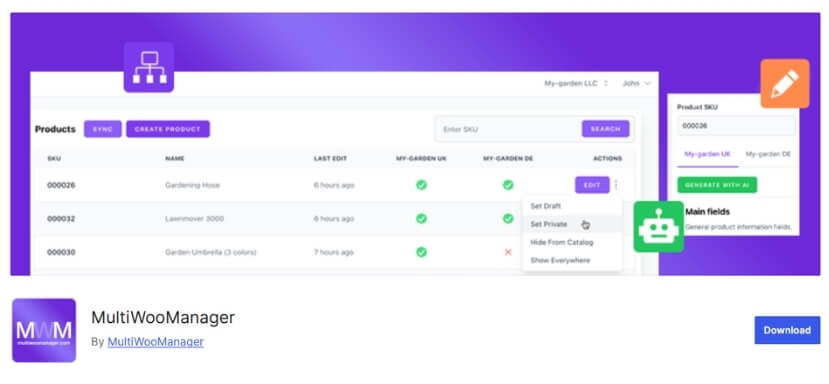
Multi Store Manager for WooCommerce is designed for merchants who want to manage multiple stores by location from one setup. Its official WooCommerce documentation says it lets you add unlimited stores based on shop locations and manage each store’s products, prices, stock, payment methods, and orders separately, with store-manager assignment support as well.
Key Features
- Unlimited stores based on location
- Separate management of products, prices, and stock by store
- Separate payment methods by store
- Separate order management by store
- Store-manager assignment and delegated control
Pros & Cons
Pros
- Gives clear store-level separation by location
- Supports separate stock, pricing, and order control
- Includes payment-method control by store
- Useful for merchants running multiple store locations
- Helps delegate management through store-manager assignment
Cons
- More store-management oriented than warehouse-routing oriented
- Better suited to multi-store operations than highly advanced fulfillment automation
Who It’s Best For
Businesses managing multiple shop locations that want separate store-level control over products, stock, prices, payment methods, and orders from one WooCommerce environment.
How We Evaluated These Plugins
Multi-location inventory sounds straightforward until a store starts managing real stock movement, customer location selection, and fulfillment decisions across more than one place. That is where the practical differences between plugins start to show. For this guide, we focused on the areas that make the biggest difference in everyday WooCommerce operations.
- Stock Separation By Location: We looked at whether each plugin allows store owners to maintain separate stock quantities for each warehouse, branch, store, or pickup point instead of relying on one shared inventory number.
- Order Routing And Fulfillment Logic: We considered whether the plugin helps direct orders to the most suitable location based on stock availability, store rules, or fulfillment needs, rather than leaving everything to manual decisions.
- Customer Location Handling: We reviewed whether shoppers can choose their preferred location and whether the plugin updates stock visibility, product availability, or purchase options based on that selection during the buying process.
- Reporting And Inventory Visibility: We checked how well each plugin helps store owners monitor stock levels, inventory movement, and location-based performance, since clear visibility becomes more important as operations spread across multiple places.
- Ease Of Use: We paid attention to how practical each plugin feels in day-to-day use, including setup, stock updates, location management, and whether the workflow stays manageable as the store becomes busier.
- Scalability: We also looked at whether each plugin can continue supporting the store as product count, order volume, and the number of locations grow, without creating unnecessary friction or operational gaps.
What to Look for Before You Choose
The right plugin depends less on how many features it lists and more on how well those features match your actual workflow. A good fit should make stock control easier, not add more manual work as your store grows. Before choosing, it helps to look at a few practical factors that affect day-to-day operations most.
How Many Locations You Need To Manage
A plugin that works for two locations may start feeling limited once you add more warehouses, branches, or pickup points. It is worth checking whether the system can still stay manageable as your location count grows over time.
Whether Customers Need To Choose A Location
Some stores need shoppers to select a pickup point, delivery zone, or nearby branch before viewing stock availability. In that case, the plugin should handle customer-side location selection smoothly without creating confusion during browsing, cart updates, or checkout.
How Orders Should Be Assigned For Fulfillment
Not every store wants to manage order allocation manually. If your operation depends on faster fulfillment, reduced overselling, or fallback between locations, the plugin should support routing logic that fits how your stock is actually handled.
How Much Reporting Visibility You Need
Once inventory is spread across different places, overall stock totals stop being enough. A useful plugin should help you see location-wise stock levels, movement, and performance clearly so you can make better purchasing and fulfillment decisions.
Whether Pricing Or Rules Change By Location
Some businesses need different prices, payment methods, shipping rules, or product availability depending on the location. If that applies to your store, make sure the plugin can support those differences without forcing extra custom work later.
How Well The Plugin Can Support Growth
A plugin may look fine for a small catalog, but become harder to manage as products, orders, and locations increase. It is better to choose something that can still support your workflow when the business becomes more complex.
Common Mistakes When Choosing a Multi-Location Plugin
Many WooCommerce stores choose a multi-location plugin based on one visible feature, then run into workflow problems later. What looks fine during setup may not hold up once stock, fulfillment, and reporting start getting more complex. To avoid that, here are some common mistakes and the better way to handle each one.
- Focusing Only On Stock Display: Some plugins can show stock by location, but do not do much beyond that. Look for a plugin that supports actual inventory control, not just location-based stock visibility on the frontend.
- Ignoring Fulfillment Logic: A plugin may seem fine until orders need to be assigned across multiple warehouses or branches. Choose a system that fits how your store will route, fulfill, or shift orders between locations.
- Overlooking Reporting Needs: Basic stock separation is not enough if you cannot clearly track what is happening at each location. Prioritize plugins that give you better visibility into stock levels, movement, and location-wise performance.
- Choosing For Today, Not For Growth: A lightweight plugin may work for a small setup, but become limiting as products, locations, and order volume increase. Pick a tool that can still support your workflow as the business expands.
- Assuming Every Plugin Handles Customer Location Selection Well: Not all tools are designed for stores where customers need to choose a pickup point, branch, or service area. Check whether location selection works smoothly across product pages, cart, and checkout.
- Underestimating Setup Complexity: Some plugins look feature-rich but require more time and planning to configure properly. Match the plugin to your team’s technical comfort level and the complexity of your actual inventory workflow.
Frequently Asked Questions
Choosing between multi-location plugins often raises a few final questions beyond features and pricing. These FAQs cover practical concerns that can help store owners make a more confident decision.
Can Multi-Location Inventory Plugins Work With Both Delivery And In-Store Pickup?
Yes, but the experience depends on the plugin. Some are built mainly for delivery-based fulfillment, while others are better suited to pickup workflows where customers need to choose a branch or collection point.
Do All Multi-Location Inventory Plugins Support Variable Products?
Not always. Some plugins handle simple products well but offer more limited support for variations. Stores selling products with multiple attributes should check variation support carefully before choosing a plugin.
Will A Multi-Location Inventory Plugin Change The WooCommerce Checkout Experience?
It can. Some plugins add location selectors, stock-based purchase restrictions, or location-aware notices that affect how customers move through product pages, cart, and checkout.
Is It Better To Use One Advanced Plugin Or Combine Multiple Smaller Plugins?
In most cases, one well-matched plugin is easier to manage. Using separate tools for stock, pickup, and location rules can create a more fragmented workflow over time.
When Is It Time To Upgrade To A More Advanced Plugin?
That point usually comes when manual stock updates, fulfillment decisions, or location-based rules start creating extra work. If the current setup feels harder to manage as order volume grows, the plugin may no longer be the right fit.
Final Verdict: Which Plugin Is the Best?
Among the top 10 WooCommerce multi-location inventory management plugins, the best choice depends on how your store handles stock, fulfillment, and customer location workflows. Some plugins are better for simple stock visibility, some fit pickup-focused stores, and others are more useful for multisite sync or backend inventory control.
For stores that need the strongest all-around solution inside a single WooCommerce setup, multi-location product and inventory management for WooCommerce stands out as the most complete option. It offers a better balance of location-wise stock control, customer location handling, pricing flexibility, reporting, and operational features than the lighter tools in this list.