
Safari-only cart failures usually happen because Safari is stricter with cookies, session persistence, browser storage, and script execution than many other browsers. If a WooCommerce cart depends on fragile guest-session handling or delayed cart updates, Safari is often the first place where that weakness becomes visible.
The result can look confusing at first, with products disappearing after refresh, cart contents dropping during navigation, or checkout failing to hold the active session. This guide explains why WooCommerce cart breaks on Safari only, which technical causes are most common, and what fixes can help restore stable cart behavior.
Common Signs the WooCommerce Cart Is Breaking Only in Safari
Safari cart issues usually follow a few recognizable patterns, even when the problem is not obvious at first. Before looking at the technical causes, these signs can help confirm that the issue is tied specifically to Safari behavior rather than a general WooCommerce cart failure.
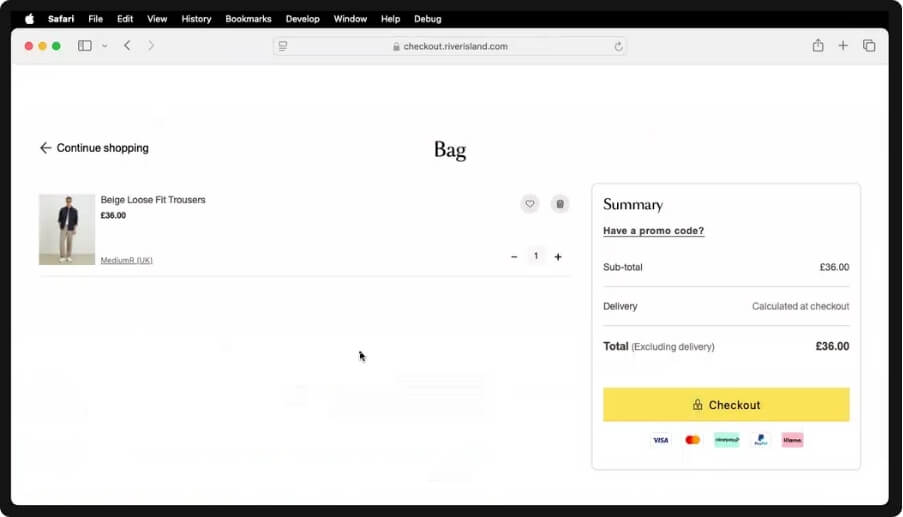
Here are the most common signs to watch for:
- Products Disappear After Being Added: Customers add an item to the cart, but it vanishes after a refresh, page change, or another step in the shopping journey.
- Checkout Does Not Keep Session Data: The checkout page reloads, resets, or drops the cart contents instead of preserving the active shopping session.
- The Cart Works in Other Browsers: Everything functions normally in Chrome or Firefox, but Safari shows cart resets, missing items, or failed updates.
- Private Browsing Fails Faster: The cart may stop working immediately in Safari private mode, which often points to stricter storage or cookie limits.
- Mini Cart Stops Updating Properly: Products may be added successfully, but the mini cart, item count, or totals do not refresh unless the page is reloaded manually.
- The Issue Happens More on iPhone or iPad: Some stores seem stable on desktop but show more frequent cart failures, resets, or checkout problems on iOS Safari.
Why Safari Exposes WooCommerce Cart Issues Faster?
Safari often exposes cart issues sooner because it is less forgiving when the checkout flow depends on multiple browser-level processes working smoothly together. Before getting into the root causes, it helps to look at the core parts of a WooCommerce cart that Safari tends to stress first.
A WooCommerce cart typically relies on:
- browser cookies
- session continuity
- frontend JavaScript
- cart fragments or AJAX updates
- stable page state during navigation
When one of these breaks down, Safari usually shows the weakness earlier than other browsers. That is why Safari-only cart problems are often a sign of a deeper session, storage, or frontend reliability issue.
The Most Common Technical Reasons WooCommerce Cart Breaks on Safari
Safari-only cart issues usually come from a small set of technical problems that affect how WooCommerce stores cart data, updates the cart, or keeps the session active across pages. Before moving into the fixes, it helps to break down the most common reasons this problem appears in Safari, while the same store seems to work normally elsewhere.

Safari Cookie Restrictions Can Break Cart Sessions
Safari is stricter about how cookies are created, stored, and reused during browsing. If WooCommerce session cookies are not set correctly, the cart may appear to work at first but fail to hold items after a refresh, navigation step, or return to checkout.
Aggressive Caching or CDN Rules Can Interrupt Cart Behavior
Cart, checkout, and account pages need to stay dynamic for WooCommerce to function properly. If a caching plugin, server cache, or CDN feature serves stale cart data or interferes with cart requests, Safari may show an empty cart or inconsistent cart updates.
AJAX Cart Updates May Fail in Safari
Many WooCommerce stores rely on AJAX to add products, refresh mini carts, and update totals without reloading the page. If those background cart requests fail, load too late, or are blocked by optimization settings, Safari may stop reflecting the true cart state correctly.
Theme or Plugin Conflicts Can Break Cart Functionality
Safari issues often show up where the cart has been heavily customized. Custom mini carts, quick-view flows, one-page checkout tools, multilingual plugins, or theme-level cart changes can all introduce browser-specific conflicts that break normal WooCommerce cart behavior.
Payment Integrations Can Interfere With Safari Checkout Flow
Some payment features, especially those connected to Apple-specific checkout experiences, can interfere with the normal WooCommerce cart or checkout process in Safari. When that happens, the cart may reset, fail validation, or behave differently once the shopper moves into payment steps.
Server-Level Session Configuration Can Cause Persistent Issues
In some cases, the problem goes beyond the browser and points to weak server-side session handling. If the store environment is not preserving WooCommerce sessions properly, Safari may expose that weakness faster through dropped carts, inconsistent persistence, or failed checkout continuity.
How to Fix WooCommerce Cart Problems on Safari?
Once the root cause is clear, the next step is to apply fixes in the same order in which the problems usually appear. To keep troubleshooting focused, start with session and cookie reliability first, then move through caching, cart updates, integrations, and deeper store-level conflicts.
Check Safari Cookie and Session Configuration First
Start by making sure WooCommerce can create and maintain cart sessions correctly in Safari. Review whether the store is running fully on HTTPS, confirm cart-related cookies are being set consistently, and make sure cart, checkout, and account sessions are not being recreated unnecessarily during navigation.
Exclude Cart and Checkout Pages From Cache or CDN Optimization
Caching should never interfere with dynamic WooCommerce pages. Remove the cart, checkout, and account pages from plugin cache, server cache, and CDN performance rules, then test whether stale cart states or empty-cart behavior disappear after those exclusions are applied.

Test AJAX Cart Updates Without Script Delay or Optimization
If the store depends on AJAX for add-to-cart actions or mini cart refreshes, temporarily disable script delay, deferral, combination, or similar optimization features. This helps confirm whether Safari is failing because critical cart requests or update scripts are loading too late or not executing in the expected order.
Audit Theme and Plugin Customizations for Safari Conflicts
Review custom cart drawers, quick-view tools, checkout add-ons, multilingual layers, and other WooCommerce extensions that change default cart behavior. If the store uses WooCommerce multi location inventory management, this is also a good point to confirm that inventory-related cart logic is working cleanly alongside the theme and plugin stack in Safari.
Isolate Payment Gateway or Apple Pay Interference
If the problem appears during checkout rather than product selection, test payment integrations one by one. Apple Pay or other Safari-facing payment flows can sometimes interrupt validation, reset the cart state, or change how checkout steps behave on Apple devices.
Review Server-Level Session Handling and Store Environment
If the issue continues after frontend fixes, inspect the server side more closely. Update WooCommerce, themes, and plugins, clear all persistent caches, and review whether the hosting environment is preserving sessions properly so cart behavior remains stable from product page to checkout.
How to Verify the Fix Worked?
Once the fixes are in place, it is important to test whether Safari now handles the cart consistently from the product page to checkout. These checks can help confirm the issue is fully resolved.
- Cart Survives Refreshes: Add a product in Safari, refresh the page, and confirm the item stays in the cart without disappearing or resetting unexpectedly.
- Navigation Keeps the Session Active: Move between product, cart, and checkout pages to make sure the same cart session remains active throughout the full shopping flow.
- Checkout Preserves Cart Contents: Open checkout after adding products and confirm the cart items, totals, and session data remain intact without reloading into an empty state.
- Mini Cart Updates Correctly: Test add-to-cart actions and check whether the mini cart, item count, and totals update properly without needing a manual page refresh.
- Private Browsing No Longer Breaks the Cart: Repeat the same cart actions in Safari private mode and verify the store no longer fails immediately under stricter browsing conditions.
- Apple Devices Show Consistent Results: Test Safari on iPhone, iPad, and Mac to confirm cart behavior stays stable across Apple devices and screen sizes.
- Safari Matches Other Browsers: Compare Safari with Chrome or Firefox to confirm shoppers now get the same cart outcome across different browser environments.
When the Problem Is Not Safari Alone
Safari may expose the issue first, but the same weakness can affect other browsing environments too. Before moving into prevention, it helps to see why a stronger WooCommerce setup matters beyond Safari alone.
- Privacy-Focused Browsers May Show Similar Behavior: Browsers with tighter privacy settings can expose the same weak cart flow, even if Safari was the first place it appeared.
- Private Browsing Can Reveal Broader Store Weaknesses: A cart that fails in private mode may point to a larger issue in how the store handles dynamic cart activity.
- Mobile Conditions Can Surface the Same Instability: Interrupted browsing, device-level limitations, or background changes can expose similar cart issues outside the standard Safari desktop experience.
- Third-Party Services Can Affect Multiple Environments: Performance tools, payment services, and storefront features may create cart inconsistencies across more than one browser or device type.
- Custom Cart Logic Can Create Wider Compatibility Gaps: Heavily customized cart behavior is more likely to break differently across browsers, devices, and shopping conditions.
- The Root Problem Is Often Store Reliability: In many cases, Safari is simply the first signal that the overall WooCommerce cart setup needs stronger consistency.
Developer Checks for Safari-Only Cart Problems
Some Safari cart issues only become clear after a closer technical review. Before wrapping up the article, these developer-side checks can help confirm whether the problem is coming from the store’s implementation rather than Safari alone.
- Inspect Safari Console Errors: Open Safari developer tools and check for JavaScript errors, failed requests, or blocked resources that appear during add-to-cart and checkout actions.
- Review Network Requests Carefully: Watch cart-related requests in the browser network panel to see whether Safari is dropping, delaying, or failing key WooCommerce actions.
- Compare Logged-In and Guest Sessions: Test both user states to see whether the cart issue appears only for guest shoppers or also affects authenticated customer sessions.
- Check WebKit-Specific Frontend Behavior: Review whether custom scripts, animations, overlays, or interactive cart elements behave differently in Safari’s WebKit rendering environment.
- Validate Dynamic Cart Responses: Confirm that Safari receives the correct cart fragments, totals, and session-driven responses instead of outdated or incomplete dynamic data.
- Check for a Valid Doctype Declaration: Make sure the theme outputs a proper <!DOCTYPE html> declaration at the top of the document, since missing or incorrect markup can trigger Safari rendering issues.
- Test Custom Store Logic in Isolation: Temporarily isolate custom cart-related functionality to identify whether store-specific behavior is creating instability across Safari cart actions.
- Review Advanced Cookie Path Configuration: In persistent session edge cases, developers may also review whether WordPress cookie path settings are contributing to inconsistent session behavior, including ADMIN_COOKIE_PATH in wp-config.php.
- Verify Inventory-Linked Cart Behavior: If the store depends on multi inventory management for WooCommerce, confirm that stock-aware cart actions stay consistent during Safari browsing and checkout flow.
FAQs About Why WooCommerce Cart Breaks on Safari Only
Store owners often notice the Safari problem before they fully understand how far it reaches. These questions address a few practical concerns that usually come up once the main troubleshooting is done.
Why Does The Cart Seem Unstable Only For Some Shoppers?
This usually happens when the issue depends on a specific browsing condition, device state, plugin interaction, or session flow that not every visitor triggers in the same way.
Can A Safari Cart Issue Affect Conversions Without Obvious Errors?
Yes, shoppers may leave the store after a failed cart action without reporting it. That makes the problem easy to miss while still hurting checkout completion and overall sales.
Should The Problem Be Tested On Both Desktop And Mobile Safari?
Yes, because Safari behavior can vary between Mac, iPhone, and iPad. Testing across Apple devices helps confirm the cart is stable in real shopping conditions.
Is It Better To Test With Default WooCommerce Behavior First?
Yes, checking the cart flow with fewer custom layers makes it easier to see whether the issue comes from WooCommerce itself or from added store functionality.
Can Safari Reveal A Larger Store Reliability Problem?
Yes, in many cases Safari is simply the first place where weak cart handling becomes visible, even though the same setup may be less dependable in other environments too.
Final Thoughts
If you have been trying to understand why WooCommerce cart breaks on safari only, the issue usually comes back to stricter browser behavior, exposing weak points in session handling, cart updates, or store-level compatibility. Safari often does not create the problem on its own. It is revealing that the WooCommerce cart flow is less stable than it should be.
With stronger cart reliability, cleaner browser behavior, and fewer session-related failures, your store can deliver a smoother checkout experience and protect more of the sales that Safari shoppers are ready to complete.