
Mobile shoppers expect a fast, frictionless checkout. When the WooCommerce cart works on desktop but breaks on mobile, it usually points to issues with touch interactions, mobile scripts, session handling, or unstable connections. That can lead to empty carts, failed updates, and checkout resets that quietly hurt conversions.
In this guide, you will learn why WooCommerce cart breaks only on mobile, how to diagnose the real cause, and what to do to make your cart stable across phones and tablets.
How WooCommerce Cart Works on Mobile?
WooCommerce cart behavior on mobile depends on session continuity, background cart updates, and responsive interface changes happening without interruption. Before moving into the reasons behind cart failures, this flow helps explain how mobile cart activity is supposed to work.
- Shopper taps the add-to-cart button on a product page
- WooCommerce creates or updates the active cart session
- Cart data refreshes through background scripts or AJAX
- Mobile cart elements reflect the latest cart state
- Cart stays available while the shopper moves between pages
- Checkout loads the same products, quantities, and totals
What Happens When the Mobile Cart Flow Breaks?
Mobile cart failures usually show up through a few clear shopping disruptions rather than one obvious error. These signs help show what shoppers actually experience when the mobile cart flow breaks.
- Items Do Not Stay Added: Products seem to enter the cart, but disappear after a refresh, page change, or later step in the shopping process.
- Cart Updates Stop Syncing: Totals, item counts, or mini cart contents fail to reflect the shopper’s latest action on the page.
- Quantity Changes Do Not Stick: Quantity updates appear briefly, then reset or return to the previous value without warning.
- Navigation Breaks Cart Continuity: Moving between product, cart, and checkout pages interrupts the active cart state and removes saved items.
- Checkout Loads Incorrect Cart Data: Checkout opens with missing products, outdated totals, or cart details that no longer match earlier actions.
- Tap Actions Behave Inconsistently: Mobile cart actions trigger duplicate responses, fail to update properly, or apply changes only part of the time.
The Real Reason WooCommerce Cart Breaks Only On Mobile
Mobile cart failures usually happen when something in the phone-based shopping flow stops behaving normally. Looking at the causes more closely makes it easier to connect broken cart behavior with the part of the mobile experience that is actually failing.

Mobile Cache Can Serve Outdated Cart Content
Mobile browsers, caching plugins, and CDN layers can sometimes show an older version of the cart instead of the current one. That can make products appear missing, totals look incorrect, or recent cart changes fail to appear properly.
Theme Or Plugin Conflicts Can Break Mobile Cart Behavior
Some themes and plugins load separate mobile layouts, scripts, or cart interactions that behave differently from desktop. When those mobile-specific elements conflict with WooCommerce, shoppers may face broken buttons, failed updates, or unstable checkout behavior.
Mobile CSS Can Hide Important Cart Elements
Responsive CSS rules are often used to simplify cart layouts on smaller screens, but they can also hide product names, remove buttons, quantity fields, or totals too aggressively. That can make the cart feel broken even when data still exists.
Mini Cart Or Side Cart Plugins Can Create Mobile Conflicts
Mini cart and side cart plugins often introduce extra overlays, scripts, animations, and scrolling behavior on mobile devices. On smaller screens, those additions can interfere with add-to-cart actions, cart visibility, or normal page interaction.
Cart Blocks Can Conflict With Some Mobile Layouts
Stores using the WooCommerce Cart Block may run into compatibility issues when the active theme or custom mobile layout does not fully support block-based cart behavior. In those cases, the mobile cart may feel less stable than a desktop.
AJAX Add-To-Cart Can Fail On Mobile
Mobile add-to-cart actions often depend on AJAX updates to refresh cart data without a full page reload. When those requests fail, stall, or load incorrectly, the cart can stop reflecting shopper actions accurately on mobile devices.
Session, Script, Or Network Instability Can Break Cart Continuity
Phones and tablets are more sensitive to interrupted scripts, weak connections, and unstable session behavior during browsing. When those conditions affect the cart flow, shoppers may see resets, failed updates, or missing items between pages.
How to Fix WooCommerce Cart Issues on Mobile?
Mobile cart fixes work best when each solution matches the part of the shopping flow that is actually failing. Now that the main causes are clear, the next step is to apply the fixes in the same order so the troubleshooting process stays focused and easier to follow.
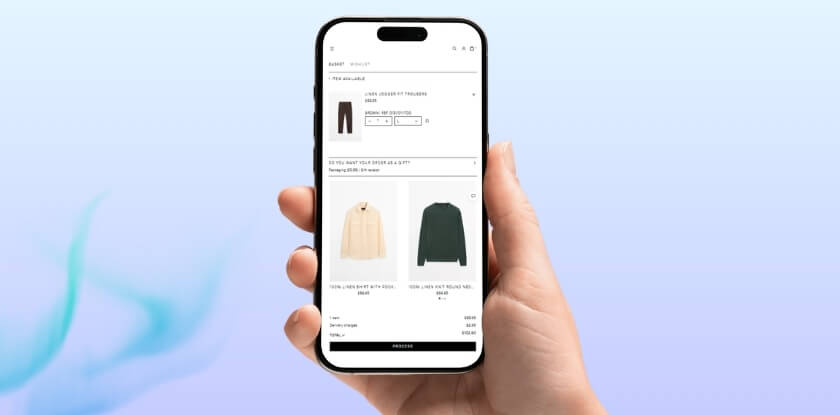
Clear Mobile, Plugin, And CDN Cache First
Start by clearing mobile browser cache, WordPress caching plugins, server cache, and CDN layers so the cart is loading fresh session data. At the same time, make sure cart and checkout pages are excluded from caching rules across plugins, hosting, and services like Cloudflare.
Test Theme And Plugin Conflicts On Mobile
Switch temporarily to a default WooCommerce-friendly theme and deactivate nonessential plugins to see whether the mobile cart issue disappears. This helps isolate conflicts caused by custom mobile layouts, plugin behavior, or added cart functionality on smaller screens.
Check Mobile CSS For Hidden Or Broken Cart Elements
Inspect responsive CSS rules, especially custom code and mobile media queries, to confirm they are not hiding product details, remove buttons, quantity fields, or totals. Mobile cart styling should simplify the layout without blocking normal cart functionality.
Disable Mini Cart Or Side Cart Plugins Temporarily
Turn off the mini cart or side cart plugins and test the cart again on mobile devices. If the issue improves, the conflict is likely coming from added overlays, animations, scroll behavior, or mobile-specific cart interactions.
Switch To A Classic Cart If Blocks Are Unstable
If the store uses the WooCommerce Cart Block, test whether the mobile cart becomes more stable by replacing it temporarily with the classic cart shortcode. This can help confirm whether the problem is tied to block compatibility.
Test AJAX Add-To-Cart Behavior More Closely
Check whether mobile add-to-cart actions depend on AJAX and whether those requests complete properly during real phone use. If needed, temporarily disable AJAX add to cart on archives to see whether the cart behaves more consistently.
Review Session Stability Under Real Mobile Conditions
If the problem still continues, test the cart across real phones, browsers, and network conditions to catch session drops, interrupted scripts, or weak connectivity affecting cart continuity. If deeper issues remain, check WooCommerce > Status for warnings, template overrides, or environment-level errors.
What Else To Test After Fixing the Mobile Cart Issue?
Fixing the main bug is only part of the job. Once the cart seems stable again, broader testing helps confirm the mobile experience still works properly across inventory rules, device conditions, and real shopping paths.
- Guest And Logged-In Shopping: Test the full cart flow for both guest users and logged-in customers to make sure mobile behavior stays consistent in different session states.
- Quantity And Cart Update Accuracy: Change quantities, remove products, and re-add items on mobile to confirm the cart updates correctly at every step.
- Location-Based Stock Availability: Test products assigned to different locations and confirm mobile shoppers see the right stock status, cart behavior, and checkout flow.
- Inventory Rules Across Multiple Locations: Make sure location-based stock logic stays accurate on phones when using the multi location product management for WooCommerce.
- Checkout With Mixed Product Availability: Add items with different stock conditions and verify the mobile checkout flow still handles totals, availability, and product selection correctly.
- Mobile Behavior Across Devices: Repeat testing on iPhone, Android, and different screen sizes to confirm the fixed cart stays stable beyond one device or browser.

Mobile Scenarios Worth Testing Before Going Live
Mobile cart issues often appear under real shopping conditions, not just during quick checks on a single device. Before pushing changes live, these testing scenarios help confirm the cart stays stable across mobile behavior, product setups, and checkout paths.
- Guest Checkout On Mobile: Test the full cart and checkout flow without logging in to confirm sessions, cart contents, and page transitions stay consistent.
- Logged-In Mobile Shopping: Check whether account-based sessions, saved details, and repeat cart actions behave correctly for signed-in customers on phones and tablets.
- Low-Stock Product Purchases: Add products with limited stock and confirm the mobile cart reflects the right quantities, availability, and checkout behavior.
- Multi-Location Stock Availability: Test products assigned to different locations and make sure mobile shoppers see accurate stock behavior when using the WooCommerce multi locations inventory management plugin.
- Mixed Cart Quantity Changes: Add several products, change quantities, remove items, and confirm totals and cart state remain accurate throughout the mobile flow.
- iPhone And Android Browsing: Run the same cart journey on both platforms to catch mobile-specific differences in cart updates, layout, and checkout behavior.
- Slower Network Conditions: Test the cart on weaker mobile connections to see whether updates, add-to-cart actions, and checkout steps still complete reliably.
- Cart To Checkout Transition: Move from product page to cart and then to checkout on mobile to confirm items, totals, and availability stay consistent at each step.
Frequently Asked Questions
Mobile cart issues often raise a few extra questions once the main fixes are in place. These answers cover common concerns store owners still have before they feel confident going live.
Why Does The Mobile Cart Fail Even When Desktop Works Fine?
Desktop and mobile do not always use the same layout, script flow, or interaction pattern. That is why a cart can seem stable on desktop while mobile shoppers run into a different experience.
Can A Mobile Cart Issue Hurt Sales Without Clear Error Messages?
Yes, many shoppers leave after a failed cart action without reporting it. That makes mobile cart problems easy to miss while still lowering conversions and increasing abandonment.
Should Mobile Cart Testing Include Different Product Types?
Yes, simple products, variable products, low-stock items, and mixed carts can behave differently on mobile. Testing more than one product setup gives a clearer view of cart stability.
Can Inventory Setup Affect Mobile Cart Behavior?
It can, especially when stock availability changes by product, quantity, or location. Stores using the WooCommerce Multi Locations Inventory Management Plugin should test inventory-aware cart flows on mobile before launch.
Is One Successful Mobile Test Enough Before Going Live?
No, because mobile cart behavior can change across devices, browsers, and network conditions. A fix should hold up across several real shopping scenarios, not just one clean test.
Final Thoughts
Understanding why WooCommerce cart breaks only on mobile usually comes down to finding where the mobile shopping flow becomes less stable than the desktop experience. In most cases, the real issue sits in mobile-specific behavior such as cart updates, layout handling, session continuity, or interaction flow.
Once those weak points are fixed, the cart becomes more reliable across phones and tablets, and the full path from product page to checkout feels much smoother. Stronger mobile cart stability means fewer abandoned sessions, better user trust, and a better chance of turning mobile traffic into completed orders.